How To Export Invoices from QuickBooks Online
You are likely a business owner or an accountant if you are looking for how to export invoices from QuickBooks Online. You probably want to create backups, transfer data to another system, or analyze financial information.
The problem is that there is no native method for exporting invoices from QuickBooks Online. However, we have a CPA-recommended solution that allows you to download invoices from QuickBooks Online. SaasAnt Transactions Online an Accountant's Favorite and User's Choice award-winning app, has a 4.9-star rating from over 4000 users and advanced export filter options.
Video Tutorial for How to Export Invoices from QuickBooks Online using SaasAnt Transactions Online:
This blog will walk you through how to export invoices from QuickBooks in an easy step-by-step guide.
Contents
Export Invoices from QuickBooks Online: Quick Instructions
How to Export Invoices from QuickBooks Online: Step-by-Step Instructions
Benefits of Exporting Invoices from QuickBooks
Export Invoices from QuickBooks Online Today With SaasAnt Transactions
FAQs
Export Invoices from QuickBooks Online: Quick Instructions
Connect with SaasAnt Transactions. Get started with a 30-day free trial.
Select the entity as Invoices
Search using the advanced search filter
Download
How to Export Invoices from QuickBooks Online: Step-by-Step Instructions
Step 1: Connect with SaasAnt Transactions
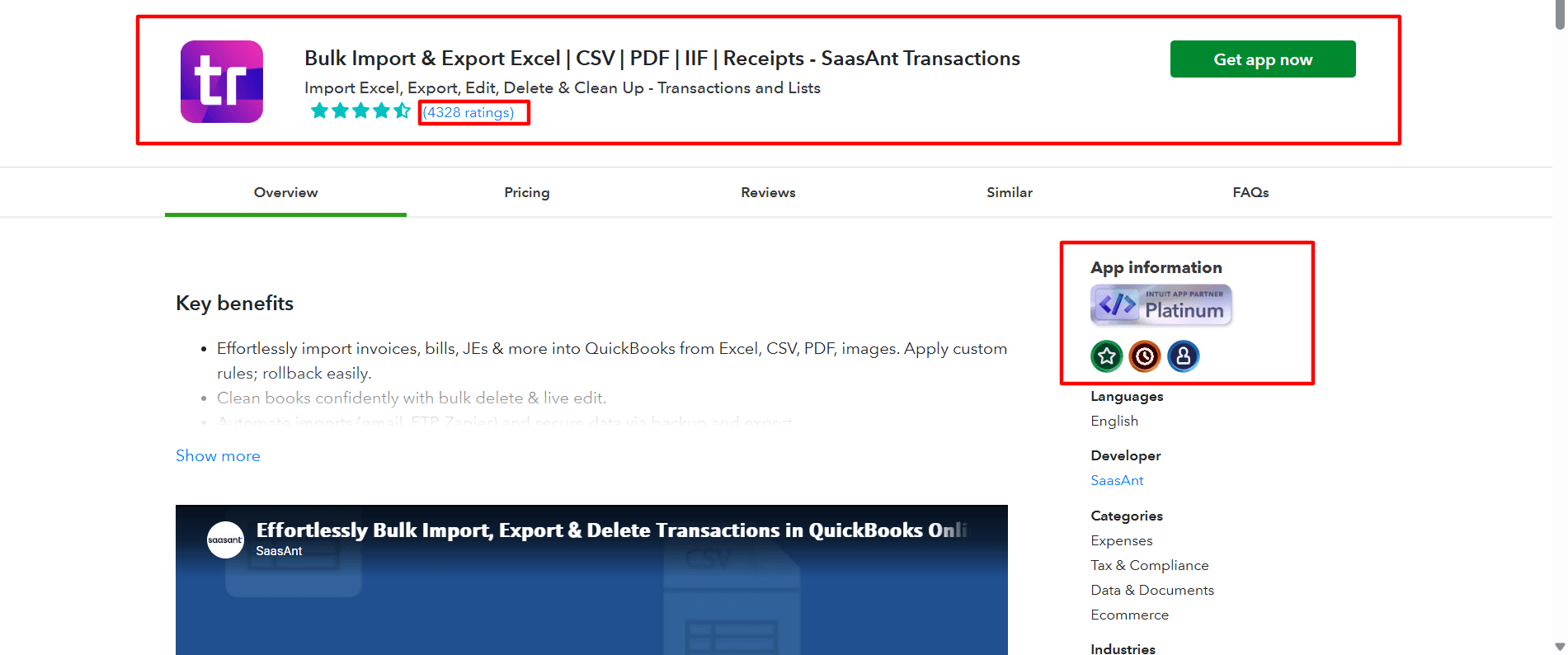
Find SaasAnt Transactions in the QuickBooks App Store and connect it to your QuickBooks account. Get started with a 30-day free trial immediately. SaasAnt Transactions Online is a certified, secure app that keeps your data safe and well-managed.
Step 2: Entity Selection
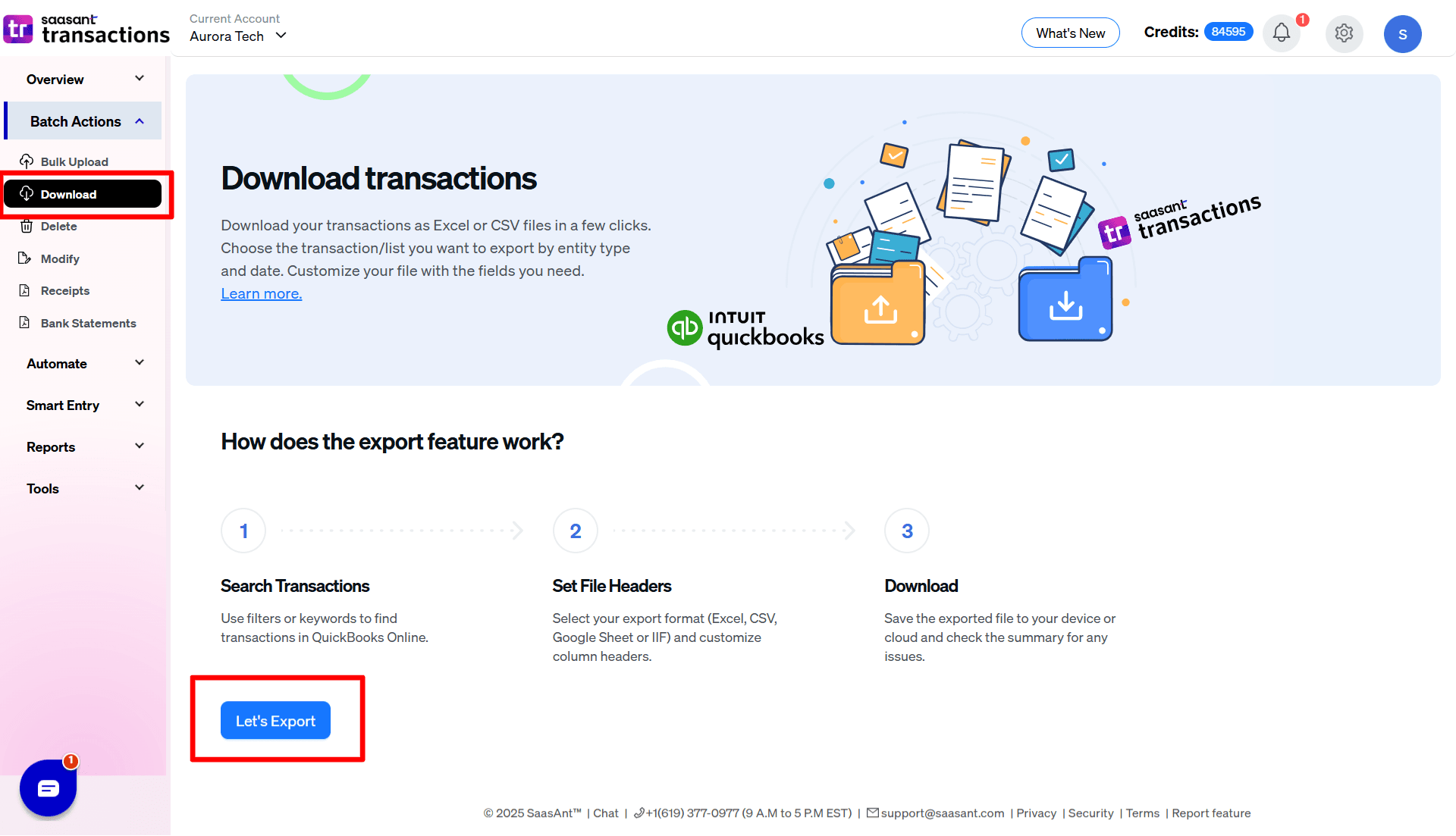
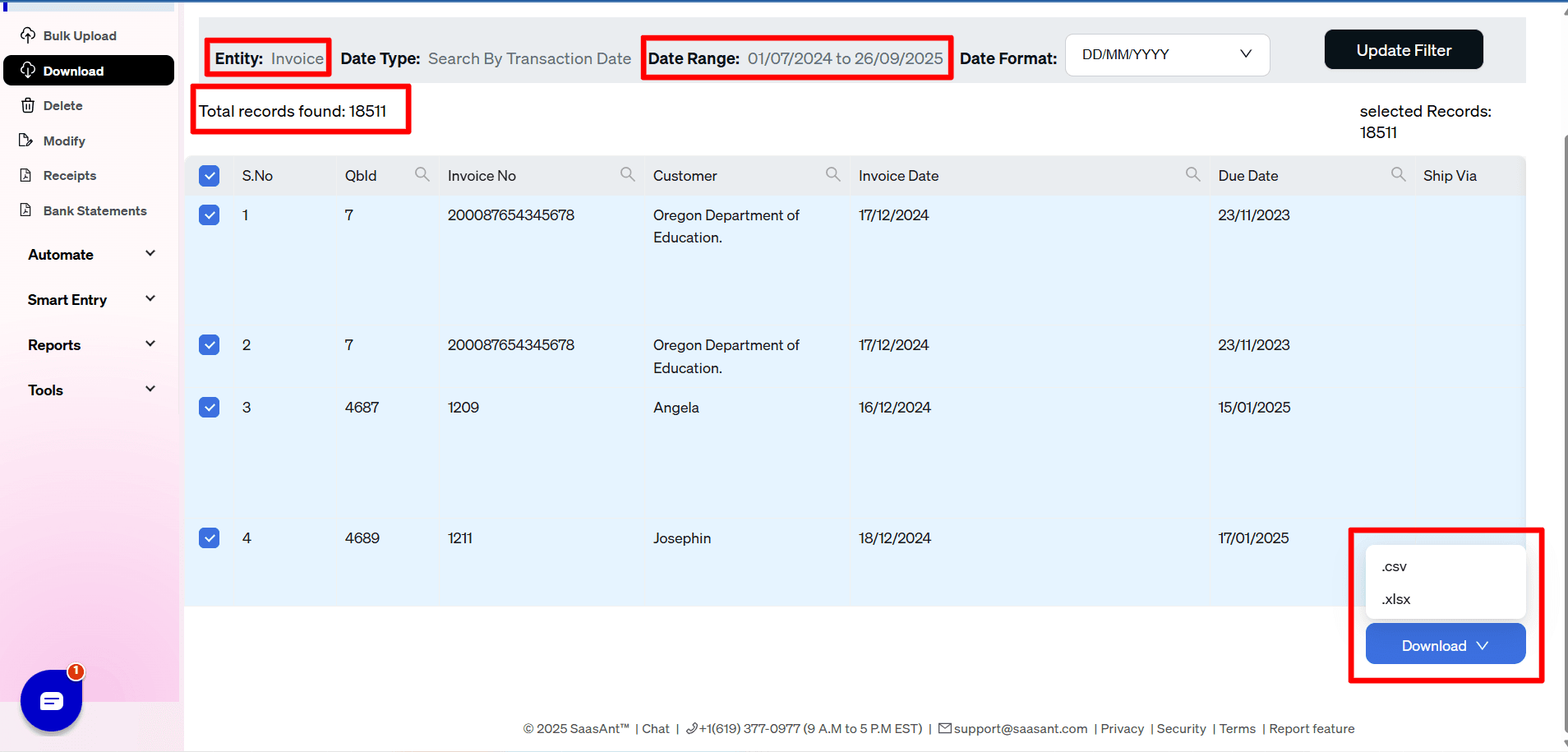
Go to SaasAnt Transactions Dashboard -> Download. Select the required entity as Invoices from the Transaction List drop-down menu.
Step 3: Search Using Advanced Filter
Choose a date type: search by transaction date, search by created date, or search by last updated date. Select the date range and mapping template. 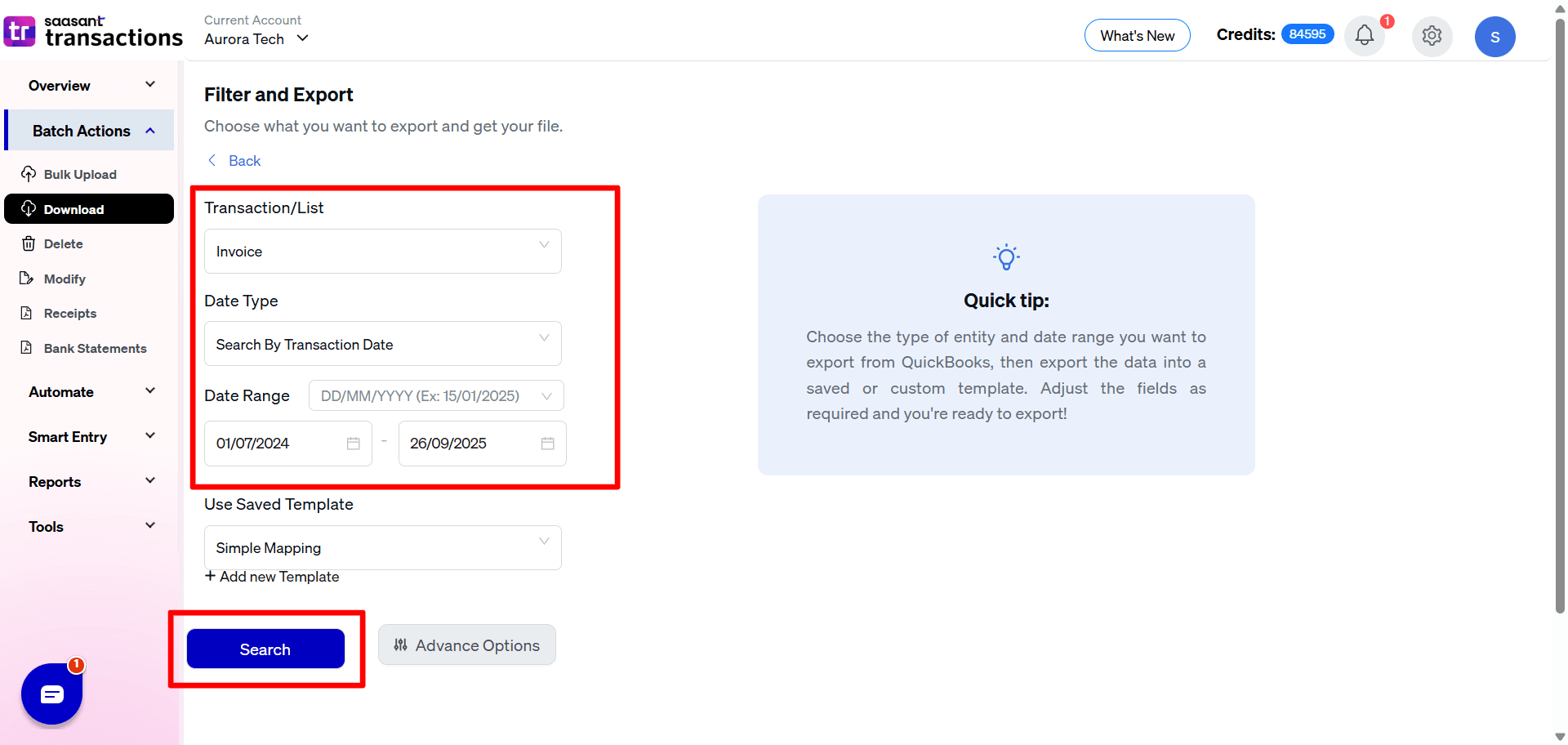
You can also use advanced search filters like specific amounts and reference numbers to search.
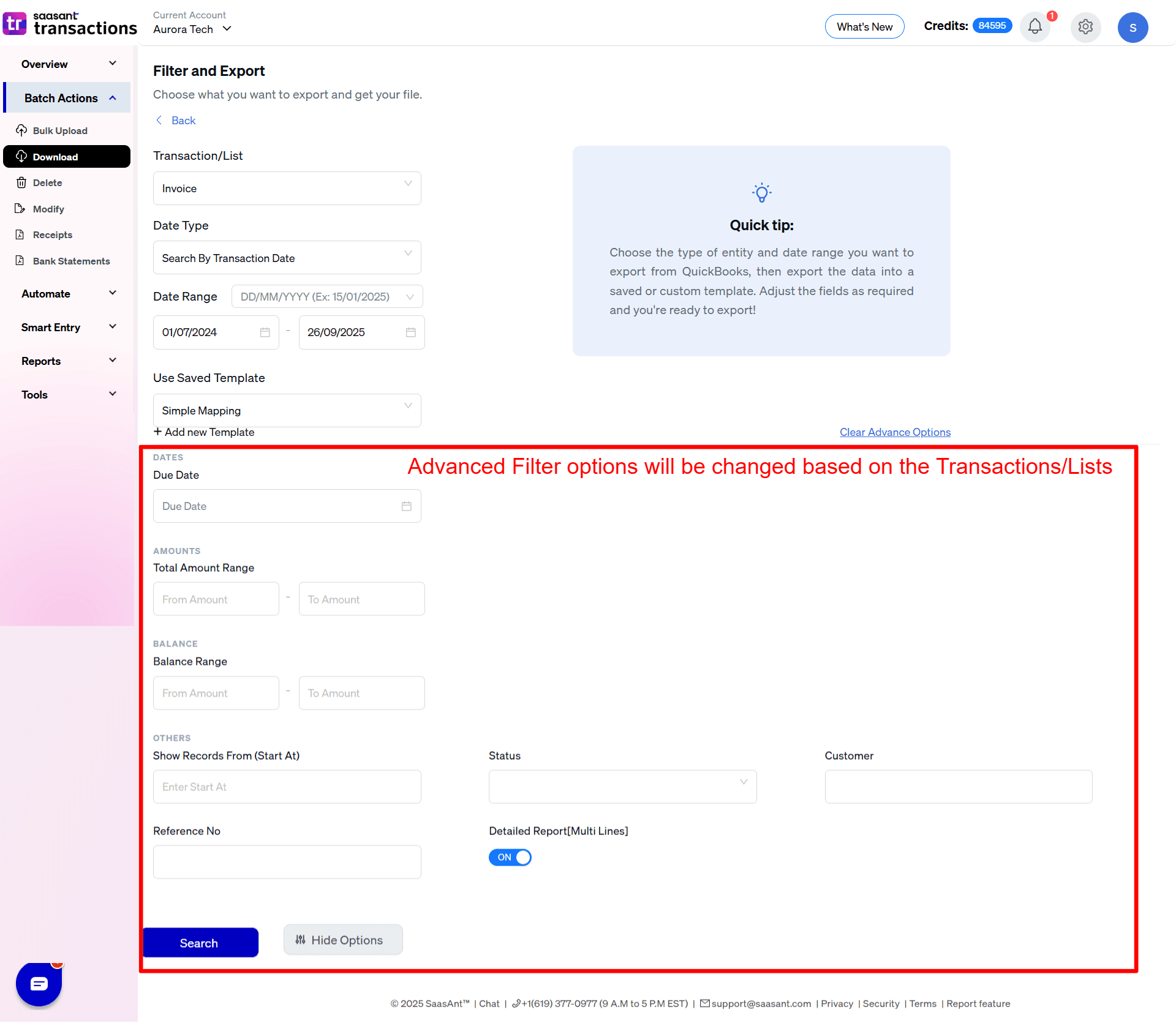
Step 4: Select a Download Format
A list of invoices for the chosen date type and range will be displayed. Click on Download and select whether you want to download it in XLSX or CSV format.
Step 5: View the Downloaded File
Check your downloads folder to view the downloaded invoice file.
Benefits of Exporting Invoices from QuickBooks
Downloading invoices from QuickBooks Online offers several benefits, including:
Data Backup: Creating a local copy of invoices ensures that you have a secure backup in case of data loss or system issues.
Enhanced Reporting: Exported invoices can be analyzed in spreadsheet software (like Excel) to generate custom reports, track sales trends, and assess customer behavior.
Easier Sharing: Downloaded invoices can be easily shared with team members, accountants, or stakeholders who may not have access to QuickBooks Online.
Integration with Other Systems: Exporting invoices allows seamless integration with other accounting or financial management software, facilitating better data management.
Customization: Users can manipulate the exported data to create tailored reports or presentations that meet specific business needs.
Tax Preparation: Having a consolidated view of invoices can simplify the tax preparation process, making it easier to provide necessary documentation to accountants or tax authorities.
Export Invoices from QuickBooks Online Today With SaasAnt Transactions
SaasAnt Transactions Online makes it extremely easy to export invoices from QuickBooks Online. Just ensure you use the filters effectively for QuickBooks export to Excel. SaasAnt Transactions also helps with bulk import, delete, and edit features for any QuickBooks entity.
FAQs
How do I export invoice details from QuickBooks Online?
To export invoices using SaasAnt Transactions, first connect the app to your QuickBooks account via the QuickBooks App Store and start a 30-day free trial. In the SaasAnt dashboard, select "Invoices" from the export options. Use advanced filters to set your date range and criteria, then download in .XLSX or .CSV format. Finally, check your downloads folder for the file.
How to download all invoices from QuickBooks Online?
To download all invoices from QuickBooks Online, connect SaasAnt Transactions from the QuickBooks App Store and start a 30-day free trial. In the SaasAnt dashboard, select "Invoices" to export. Use advanced filters to set your date range, then choose to download in .XLSX or .CSV format. Check your downloads folder for the file.
Can I export from QuickBooks Online?
Yes, you can export from QuickBooks Online using SaasAnt Transactions. First, connect the app from the QuickBooks App Store and start a 30-day free trial. In the SaasAnt dashboard, select the entity you want to export, apply any necessary filters, and choose your desired format (like CSV or XLSX) before downloading the file.
How do I export QuickBooks invoices to CSV?
To export QuickBooks invoices to CSV, connect SaasAnt Transactions from the QuickBooks App Store and start a 30-day free trial. In the SaasAnt dashboard, select "Invoices" for export. Use advanced filters to set your date range, then choose to download in CSV format. Finally, check your downloads folder for the exported file.
How to Import Invoices into QuickBooks Online?
Using SaasAnt Transactions: Connect to QBO, upload your file (Excel, CSV, IIF, PDF, Image), review mappings (AI suggests them for PDF/Images), and click Import. SaasAnt automatically tries to fix common errors during the process. Review the post-import summary for success, failures, and notifications on auto-corrections. Verify in QBO
Read also
Import Invoices into QuickBooks Online: Step-by-Step Guide
How to Edit Invoices in QuickBooks Online
How to Delete Multiple Invoices in QuickBooks Online
How to Import PDF Invoices into QuickBooks Online